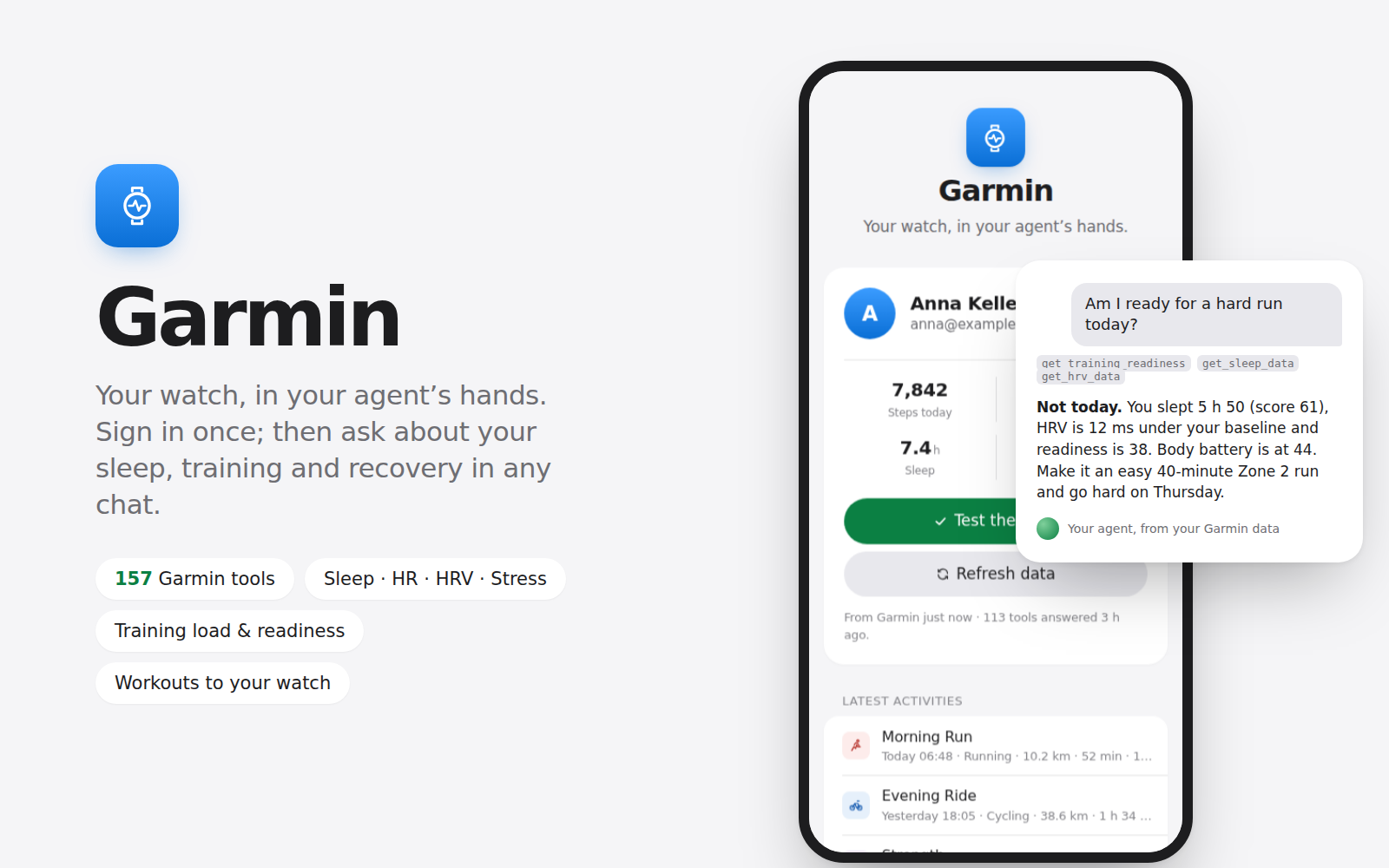
Your watch records everything: every run, every night's sleep, your heart rate, stress and recovery. Your agent can finally read it. Sign in to Garmin Connect once, on a page linked from your server page, and from then on you ask in any chat: "How did I sleep?", "Summarise my training this week", "Am I ready for a hard run today?", "Compare my last three runs".
What you get
- A one-minute sign-in page: your Garmin email and password, and the code if your account has two-step verification. The password is used for that sign-in only and never stored; Garmin's sign-in tokens stay on your server
- Your agent connected to Garmin Connect: activities with splits and heart-rate zones, sleep, HRV, stress, body battery, training status, load and readiness, VO2 max, personal records, weight, and (in the Everything tool set) workouts it can create and send to your watch, nutrition, gear, courses and devices
- A choice of how many tools your agent carries: Essentials (20), Health & training (113) or Everything (157). Fewer tools leave the agent more room to think
- The page shows today's steps, resting heart rate, sleep and body battery, your latest activities, a test of the agent's tools, and a one-tap repair
- Example questions to copy into a chat
How it works: the kit installs the open-source Garmin MCP server (taxuspt/garmin_mcp, MIT, built on the python-garminconnect library) in its own Python environment on your server and registers it with Hermes' own `hermes mcp` command (and with Claude Code when it's installed). It adds a short note to Hermes' memory so that conversations know the Garmin tools are there, and a skill that teaches the agent which tool answers which question. Nothing goes through POCKETCORP or any third party: your server talks to Garmin Connect directly, the way the Garmin app does.
Health data is personal. The agent is instructed to keep it in the conversation with you and never to send it elsewhere; writing to your account (a workout on your calendar or watch) happens only when you ask.
Requires the Hermes agent (choose Hermes when deploying a POCKETCORP) and a Garmin Connect account; Garmin Connect China (garmin.cn) accounts work too. Installing asks for one sudo approval on your dashboard, for the page's background service; turn on auto-approval first for a hands-free install. It downloads the server's Python packages from PyPI and, if your server has none, Python 3.12 through uv. Garmin's tokens last about six months; the page tells you when to sign in again. Uninstalling removes the tools from your agent and deletes the saved sign-in from your server; your Garmin account is untouched.